
Documents
The Documents tab of an index is a spreadsheet-style view of its documents.
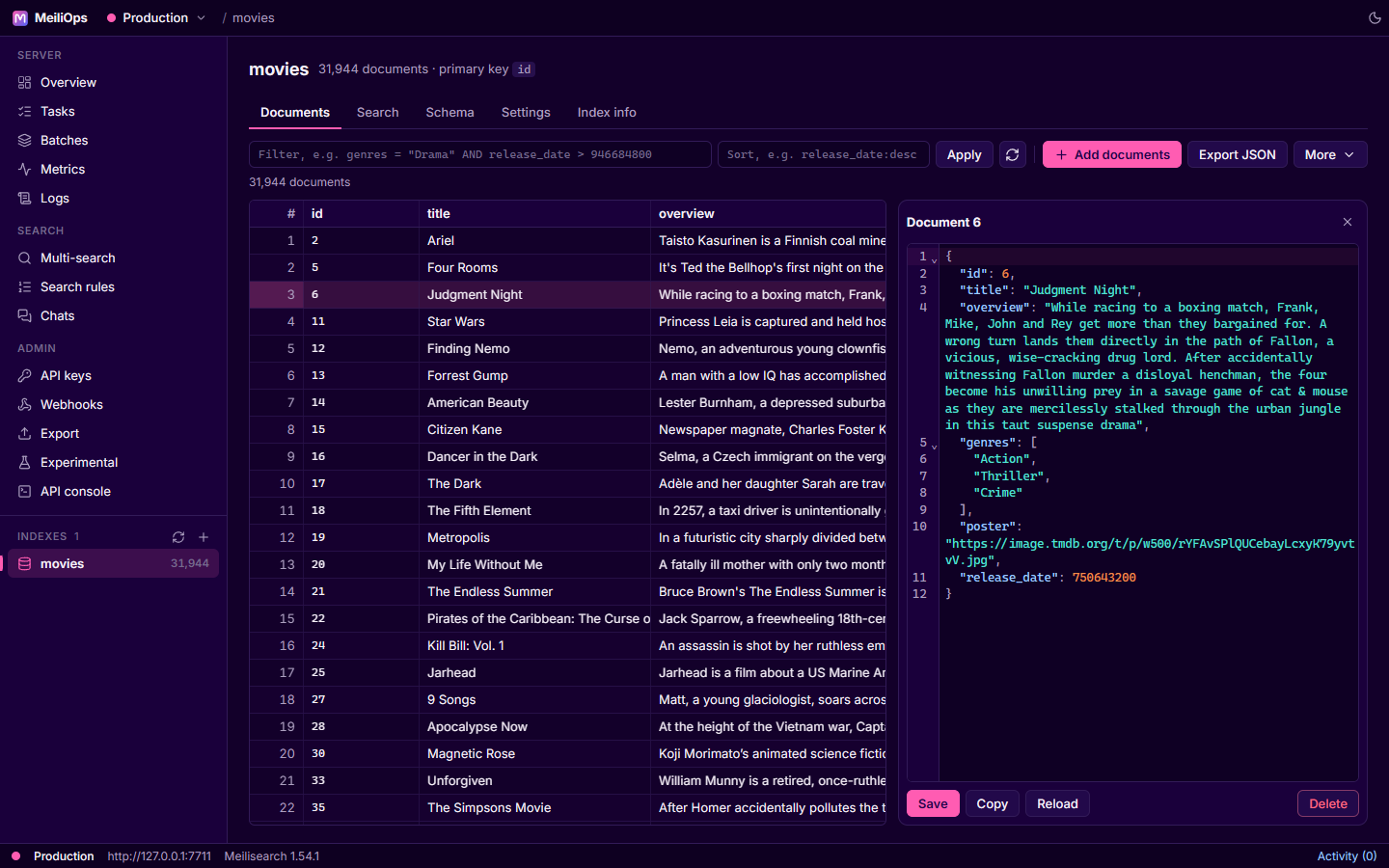
Browse
- The grid is virtualized: only visible rows are rendered, and pages are fetched as you scroll, so large indexes stay smooth.
- Columns are inferred from the first documents. Long text columns get more width; nested values show as JSON.
- Filter accepts any Meilisearch filter expression, for example
genres = "Drama" AND release_date > 946684800. The field must be infilterableAttributes. - Sort takes a comma-separated list like
release_date:desc,title:asc(fields must be sortable). - Press Enter or Apply to run it. The refresh button reloads from the server.
Edit a document
Click a row to open it in the side editor (a full JSON editor with syntax highlighting and validation).
| Action | What it does |
|---|---|
Save (Ctrl+Enter) | Sends the document as an add or update: changed and new fields are saved |
| Copy | Copies the JSON |
| Reload | Fetches the document again from the server, discarding your edits |
| Delete | Deletes this document, after confirmation |
Removing a field
Save merges your edit into the stored document, so a field you delete in the editor stays on the server. To drop fields, replace the document through Add documents in add or replace mode.
Add documents
Add documents accepts a file or pasted content in JSON, NDJSON (.ndjson, .jsonl) or CSV (with a configurable delimiter). Choose between add or replace and add or update (partial update), and optionally set the primary key.
Bulk actions
Under More:
- Edit with function: run a Rhai function over documents matching a filter (an experimental Meilisearch feature).
- Delete by IDs: paste a list of IDs.
- Delete matching current filter: removes every document matching the filter you applied.
- Delete ALL documents: empties the index but keeps its settings. You must type the index name to confirm.
Export JSON downloads every document matching the current filter.
Jump here from the Schema tab
Clicking a value in the Schema tab opens Documents with a matching filter already applied.