
Search playground
The Search tab runs real queries against an index, so you can see exactly what your users will get.
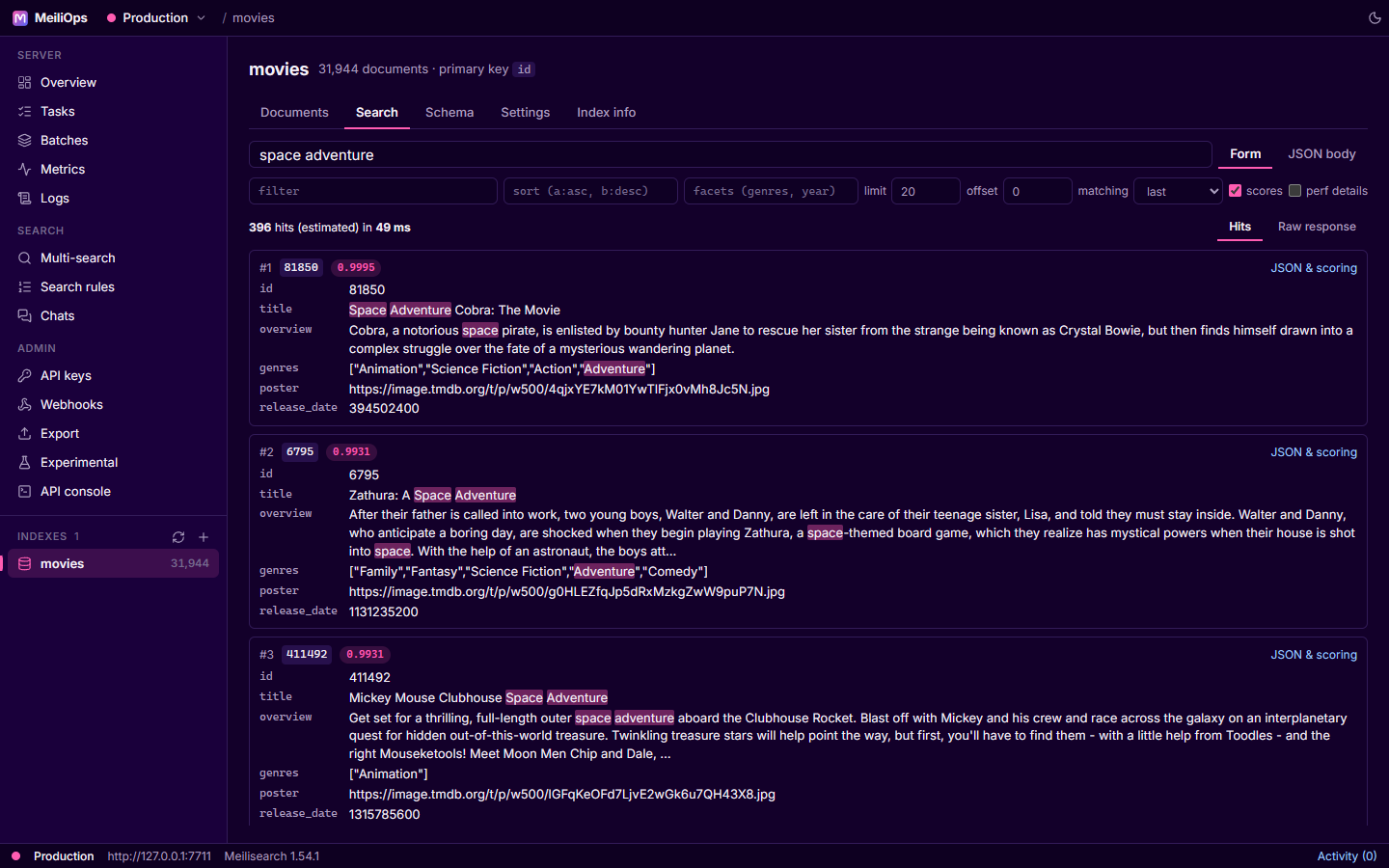
Form mode
Results update as you type. Next to the query you can set:
| Parameter | Notes |
|---|---|
| filter | Any filter expression |
| sort | field:asc / field:desc, comma-separated |
| facets | Fields to compute facet counts for. Facets appear in a side panel where you can click values to filter and search within a facet. |
| limit / offset | Paging |
| matching | Matching strategy: last, all or frequency |
| scores | Show each hit's ranking score |
| perf details | Ask the server for a timing breakdown of the query |
When the index has embedders, hybrid and semantic search options appear (the semantic ratio and the embedder to use).
Each hit shows its fields with matches highlighted. JSON & scoring opens the raw hit with _rankingScoreDetails, which shows how each ranking rule scored it. Similar documents finds neighbours of a hit using an embedder.
JSON body mode
Switch to JSON body to write the complete search request yourself. This is useful for parameters that have no form control and for copying a request into your application.
Raw response shows the server's response exactly as returned.
See also Multi-search for querying several indexes at once.