
Schema
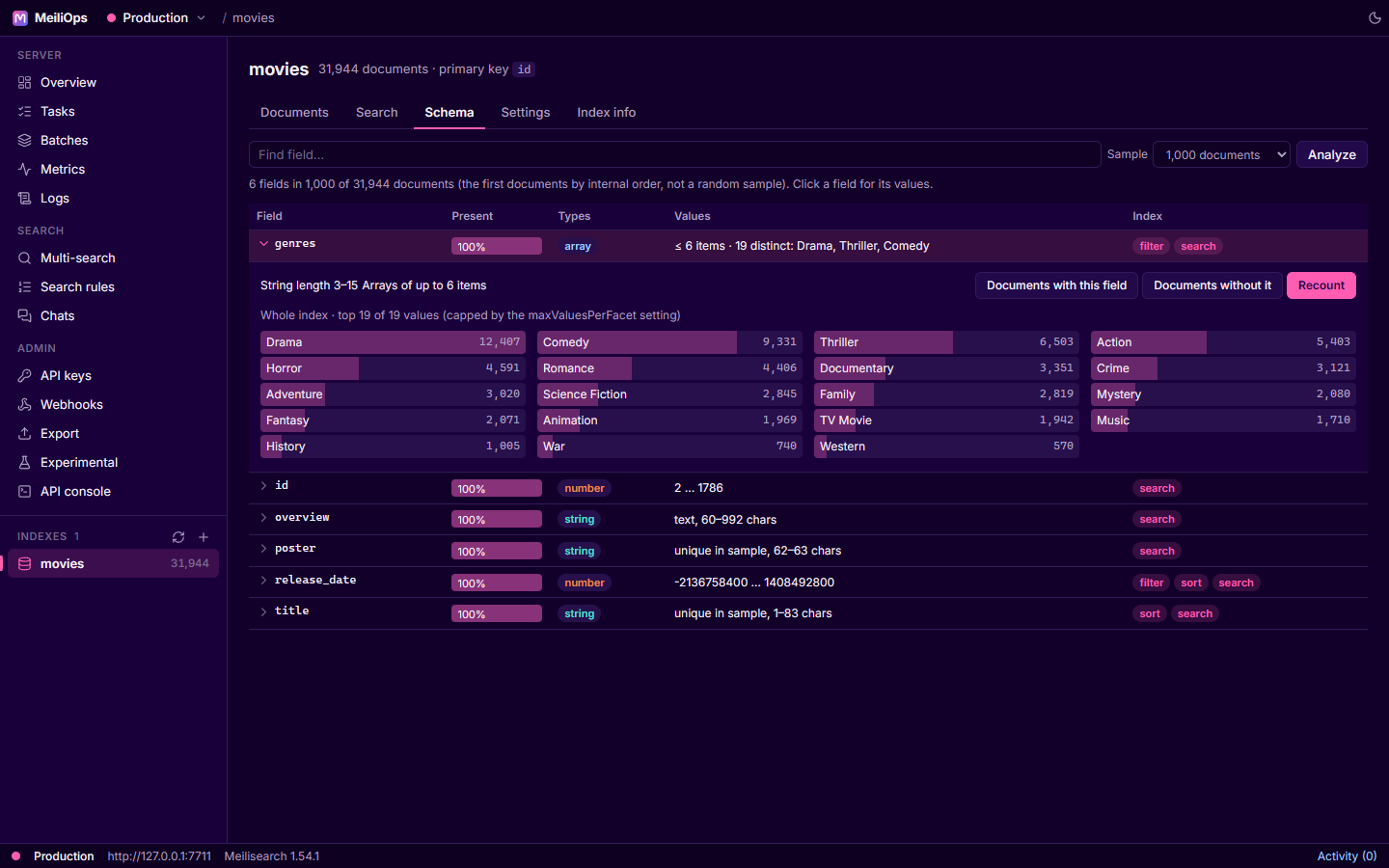
Meilisearch is schemaless, which makes it easy to lose track of what's actually in an index. The Schema tab analyzes your documents and shows each field's shape, the way MongoDB Compass does.
What it shows
MeiliOps samples documents (1,000, 5,000 or 20,000; pick with Sample) and reports for every field, including nested ones (author.name):
| Column | Meaning |
|---|---|
| Present | Share of sampled documents that contain the field |
| Types | The JSON types seen (string, number, boolean, null, array, object) and their share |
| Values | Numeric range, string lengths, array sizes, and the number of distinct values with the most common ones. Free text and unique values (IDs, URLs, titles) are labelled as such instead. |
| Index | Whether the field is filterable, sortable and searchable, or hidden from results |
Fields with a few short, repeated values that aren't filterable yet are marked facet candidate.
Sampling
The sample is the first documents in Meilisearch's internal order, not a random sample. For fields that are already filterable, use Exact counts to get numbers for the whole index.
Field details
Click a field to expand it:
- Top values as bars. Click one to open Documents filtered to that value.
- Exact counts (whole index): facet distribution and min/max across all documents (filterable fields only; capped by the index's
maxValuesPerFacetsetting). - Documents with this field / without it: opens Documents with
field EXISTSorfield NOT EXISTS. - Make filterable…: adds the field to
filterableAttributes. Meilisearch re-indexes the index, which can take a while on large indexes; MeiliOps asks first and tracks the task.