
Index settings
The Settings tab covers every index setting Meilisearch exposes, grouped the way the documentation groups them (attributes, relevancy, tokenization, facets and pagination, AI, and more).
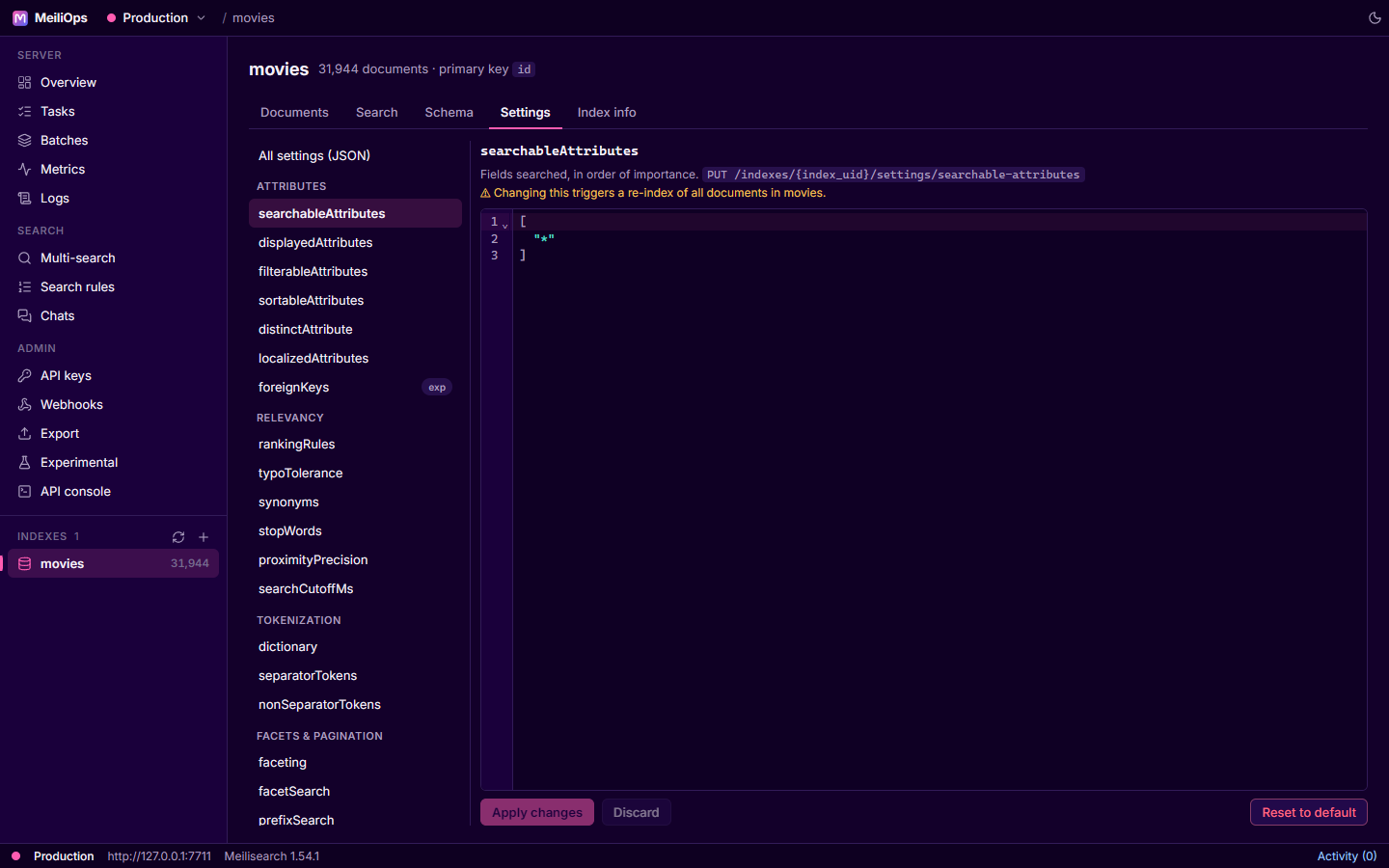
Editing a setting
- Pick a setting on the left. Its description, API route and current value appear on the right.
- Edit the JSON. The editor validates as you type.
- Apply changes sends it; the change runs as a task and shows in Activity.
As you edit, your changes are highlighted against the server's current value, right in the editor. Discard throws your edit away; Reset to default restores Meilisearch's default for that setting.
Re-indexing
Settings such as searchableAttributes, filterableAttributes, sortableAttributes and embedders make Meilisearch re-index every document. MeiliOps shows a warning on those settings before you apply them.
All settings (JSON) edits the whole settings object in one go, for copying settings between indexes or keeping them in version control.
Embedders and chat templates
For embedders and chat settings, Test template… renders a document template against a real document so you can check what text is actually sent for embedding, before paying for a re-index.
Index info
The Index info tab has index statistics (document count, sizes, embeddings), the field distribution, and index-level actions: Rename, Change primary key, Swap with another index, Compact and Delete.